• Skip to primary navigation
  • Skip to main content

MelvinBlog

A blog that chronicles my journey on online marketing, blogging, social media, technology and life.

  • Author
  • Photos
  • Contact

Blog

Some Thoughts on Storing Photos Online

by Melvin · Aug 10, 2014

I started taking pictures back in 2007 when I was in my early college days and like most people, I only used a point-and-shoot digital camera to take photos. Back then, I would store the photos on my hard drive and then upload it on Friendster. Technology has evolved and from Friendster, I started uploading them to Multiply, then Facebook and then now Instagram.

Looking back I realized that not much has changed really. At least for me, the change was mostly on the sites I’m uploading pictures to. And I find that normal because these photos are majorly tied to the “in” social network which has changed quite a bit in the last 5-7 years.  What changed on my end is my interest in the subject of photography. No I didn’t own a lot of cameras during the period but I became more obsessed with taking better photos and investing on better equipment.

What usually happens is I would take pictures using my entry level Sony Nex 6 camera. I would make sure I take good pictures (note I’m still a novice in this area though) and then once it’s done I would store it on my hard drive but then upload either on my personal Facebook page or Instagram. As we all know, both of those services decrease the overall quality of the pictures. But still who cares? I have my original source on my hard drive right?

Well, not until now. I realized that I need to take a look at a service where I can upload my best shots. Maybe not really just the best ones but every photos that I’d like. A major requirement for the service is that it would not (majorly) alter the photos and eventually decrease the quality.

No I’m not building some kind of a image portfolio here but it’s my personal desire to have a place online where I or my friends can look at photos that I took and hopefully those aren’t too bad for them to feel bad. And so that is why I started searching for the services.

image sharing sites
Image is from ava360.com

Flickr

I actually have a Flickr account and this is where I realized that I have been taking photos for quite some time now. I like the service a lot but it functions as a social network itself which can be a problem. That might take away the focus of me just uploading photos to finding friends, commenting on their photos, browsing other people’s pictures and etc. That’s not a big problem though.

I haven’t used Flickr in years but I remember that you can’t really use the service to upload pictures continuously as they have a limit for free accounts. They also compress your photos (not as bad as Facebook though) and that would only go away if you fork out some money and pay for a subscription.

But maybe it has changed and I’ll just have to take a closer look at the service again.

Photobucket

Photobucket is an equally popular service however I kind of view them more as a casual image uploading site as oppose to something that has a more personal feel to it like Flickr. Nonetheless, Photobucket seems to be as good as Flickr but it has its own limitations for a free account.

I’m personally not too high on Photobucket for some biased reasons but I know I’ll take a look of this service again and see where it fits.

Google Picasa

Picasa is a popular photo sharing service owned by Google. Doing a quick look at it, it seems they have their own share of features that are not available on other platforms. I read that they accept more file formats (including RAW) and they are of course very much integrated to other Google services.

I should take a look at Picasa because I’m pretty much a Google person like most people. I use a lot of Google services but I’m not sure I have any use for the Picasa integration at all (what? integrate to G+? meh!).

Shutterfly

The website of this service strikes me as a a photo and card printing service rather than an photo sharing site but it seems like the latter part is a very good service on its own.

Shutterfly doesn’t have any limitations for uploading pictures and unlike others, they actually store the images in full resolutions and uncompressed. Like other services, they also offer some basic photo editing tools and integration to social networks. And of course, they have this tied neatly to their printing services in case you want to get a hard copy of your photos.

Closing Thoughts

I haven’t reached the point yet where I’m nit-picky with the features that a service comes with so I think I would do fine with all the services I found above. However, I can’t really use all of them and upload to each every time as that would be very silly. It’s also worth-noting that me picking a service doesn’t change the fact that I would still upload photos on Facebook and Instagram since both are services that I heavily use for other purposes.

Overall, I would say Flickr has an advantage as I’m already an existing user there. Unless Flickr has a deal-breaker kind of limitation on their service, then it would be tough for other services to win me unless of course they offer something that is so good that I’m willing to switch and start over from scratch. But who knows?

I’d like to hear your thoughts here. Feel free to suggest other services as well. 🙂
Filed Under: Blogging Experience, Blogging Tips, Ramblings, Social Media Tagged With: image uploading services, photo uploading services, photo uploading sites, storing photos online, upload photos online

Alternative funding options for small and medium sized companies

by Melvin · Aug 3, 2014

This is a guest post by Isabella Ramos.

The difficulty of securing a traditional bank loan for SMEs has been well documented.  Given the reluctance of banks to lend, owners of small companies are being forced to look for more innovative types of funding to grow their business. But how do they do it?

Awareness and information keys to success

Recent research conducted by Wonga indicates that around one-third of micro-businesses have been turned down for bank funding.  60 per cent of them suffered cash flow problems or missed key opportunities as a result.  These findings suggest that many small company owners simply don’t know where to look for extra finance, beyond traditional bank lending.

Banks often turn down a loan application due to the credit rating of the business and/or the key managers responsible for its operations.  For this reason, it is worth performing credit checks on the company and its managers to identify any potential issues as well as to ensure records are complete and accurate.

Even if alternative financing options are being pursued instead of traditional loans, lenders will carry out credit and fraud checks just the same, so it still makes sense for small businesses to do regular health assessments on its credit profile.

You can check your score easily – in private. For those wondering where they can get credit reports, have a look online.  Many businesses offer free company checks and deliver business information such as company reports, credit and fraud reports and Companies House documents.

Online portal to educate and provide finance

So, how should owners of SMEs educate themselves on non-bank funding options?  The Alternative Business Funding portal hopes to be the answer.  Not only will the site educate business owners on the types of finance available, it will also match lenders and borrowers quickly through the internet.  The portal supports different types of alternative financing, including crowdfunding, peer-to-peer lending, invoice trading and even pension-led funding.

Crowdfunding 

Now a relatively mainstream option for entrepreneurs, crowdfunding aims to attract hundreds of small investments which can then be used as equity to fund start-ups or businesses in early stages.

The way it works is that you write up your idea and business plan and present it to potential investors, who will contribute a small sum if they like your pitch and believe your project will succeed.  There are different ways in which you can reward those who helped to get your business off the ground – you can either give them some form of a perk or gift (reward-based crowdfunding), or you can give them a stake in your business (investment crowdfunding).

Apart from a sound business plan, you will also need financial forecasts in order to access crowdfunding platforms.

Peer-to-peer lending

Although peer-to-peer lending is also about raising finance from a number of people who pool their resources together, it is very different to crowdfunding in that lenders are not rewarded with any equity or perks.  Instead, they receive interest on the money borrowed, much like the arrangements of a normal bank loan.

Rather than start-ups, this type of funding is targeted towards established businesses that have been trading for a minimum of two years.  It is suitable for all types of business structures, including limited or non-limited companies as well as limited liability partnerships.  Relatively easy and quick to obtain, the money borrowed can be used for any business purposes such as buying capital equipment, stock purchases or even used as working capital.

To access peer-to-peer funding, you will need to provide business financials as well as reasons for the loan.  Depending on the amount you wish to borrow, you may also need to provide some form of security or personal guarantee.

Online invoice trading

This form of funding involves uploading unpaid invoices onto an online auction where interested buyers can bid to fund them.  Buyers may include institutional investors, asset-based lenders, banks as well as high-net-worth individuals.

Unlike traditional factoring or invoice discounting agreements, there are no long term contracts or exclusive agreements involved with this fundraising mechanism.  The borrowing company can choose to sell invoices individually or together in a bundle.

Online invoice trading is a quick and convenient way to raise money as uploaded invoices can be funded in as little as one hour.  It is a great way to overcome cash flow issues caused by debtors who take a long time to settle their account.

Filed Under: Guest Post Tagged With: alternative funding options, loaning money

Evolution of the Smartphone: From Business Luxury to Everyman’s Essential

by Melvin · Jul 27, 2014

This is a guest post by Pierre-Adrien Mongin.

From IBM’s Simon in 1993, the first phone to feature touch screen qwerty keyboard and email, to today’s Apple mania and continuous proliferation of new devices: we have witnessed the rapid evolution of the smartphone. Now that we are in a position where touch phones are essentially the norm, how much has really changed since its awkward beginnings? And what does the future of these wireless handsets hold? 

Callie Payne, the smartphone expert at PricePanda offers you an analysis of the evolution of the smartphone, from business luxury to everyman’s essential.

Wider reaching Technology

When Steve Jobs introduced the iPhone in 2007 it had a 3.4 inch screen,  320 X 480 pixel resolution (one of the best at the time), 8GB expandable storage and a 2MP camera. Today, these specifications are run of the mill, if not poor. Even very low budget smartphones today, such as the newly released Samsung Galaxy Star II, a phone marketed with young teens, first time mobile users and so called “emerging markets” in mind, share identical specs with this first, revolutionary touch phone. It seems that the market is developing very quickly.

Today’s high end handsets favour much larger screens, with a new tendency towards so called “phablets” a new evolutionary strand which straddles the functionality of a phone and a tablet. The new iPhone 6, said to be released in September, is rumoured to have 13MP camera, 4.7” virtually unbreakable Sapphire glass screen screen and possibly 1704 x 960 screen resolution and an enormous 128 GB storage capacity.

Evidently, there is a large gap between luxury products and budget devices, but there has also been a certain tendency towards the democratisation of the technology recently with Samsung Galaxy’s choice to make all their new budget Galaxy devices compatible with the newest android (KitKat) and Androids choice to make its newest software optimised with 512MB RAM, i.e the cheaper smartphones.

The smartphone is a fashion accessory that everyone has access to, with the recent trend towards cheap devices. However, will these devices actually last or are we evolving into a disposable “planned obsolescence” stage of smartphone evolution? Is the phrase “buy cheap buy twice” really what we want for the future of our handsets?

Smartphone Usage in South East Asia and the Philippines

For markets in the South-East Asia, the smart gadget “saturation” brings not only the latest fashion accessory, but affordable access to the latest technology and personal development. In the Philippines smartphone usage stood in 2013 at 53% and is predicted to grow by a further 22% in just one year. With local brands such as Cherry Mobile and MyPhone dominating the Filipino market with low budget, yet high performing smartphones the potential reaches much further than non-stop access to beloved facebook.

According to a recent World Bank report (Download the PDF), the increase in portable wireless communication devices use equals across the board increase in productivity and benefits. Farmers have better access to information increasing agricultural productivity, taxi drivers have real time traffic updates and broader citizen engagement means wider reaching updates such as weather warnings. The devices are being used more as mini computers than they are telephones, particularly with the increase in free calls over Skype or Facetime. As the internet becomes more and more mobile, it makes sense that smartphones, with their continuous 3G connectivity and relative portability of size, proliferate.

The evolution of smartphones has reached a peak in its evolution where there is a significant turnover in products, bringing the prices down on the technology. While this has its downsides such as planned obsolescence and internet over dependency, the greater reach in market brings a giant step towards closing the information gap. Access to wireless internet has become more and more desirable in the 21st Century, and therefore more widely available thanks to the demands of the market, benefitting all.

Filed Under: Guest Post, Ramblings Tagged With: evolution of smartphone

Getting into Live Streaming Games

by Melvin · Jun 29, 2014

I have not considered myself a gamer despite staying in front of a computer 85% of the time. And even when I do play, it’s mostly just one game which is NBA (EA before and 2K in the past 3-4 years) and nothing else. Add the fact that I’m employed to a company where playing games and live streaming it is the main thing and it becomes even weirder.

A quick look at my background would make it less weird actually. My first console was a Playstation 1 and it never got upgraded again. I got a decent PC during my high school days but even then I was mostly just playing NBA games. I did dabble with some other games like Halo, Quake, even Call of Duty but they never got me interested.

Fast forward to today, I just don’t have any equipment to play games. I guess even since 4-5 years ago, my machine won’t hold up with any good games available even during the time. But thinking more about it, it’s not entirely about that. It’s also about me not being too interested in playing games perhaps. I started doing blogging and some other online things since early 2008 and considering it has become my life, that was one of the factors as well on why I’m not playing games despite the fact that I’m in front of my computer most of the time. Now it can be argued that perhaps if I have a more modern console or a faster computer then I might have enjoyed and spent more time with it. That’s up in the air.

The near future…

What does the future hold for me regarding gaming and live streaming? Not a whole lot of change probably. We have a work thing where we would play and live stream games using our streaming software every Friday (or every other Friday). So I said to myself “Why not start a channel & build an audience, see where it takes me?”. Generally-speaking, that is a good reason enough for me to start. My work computer is an i7, we have fast internet (fast upload), no one is streaming NBA 2k and maybe the vacant spot is just waiting for me. 🙂 Maybe I’m too upbeat too. :p

But one thing I’m sure of is doing this shouldn’t take too much effort. I’m gonna try this out and just do it. No pressure for myself whatsoever. If it works, good. If it doesn’t, it’s still good since this is part of my work for the company. So I have nothing to lose really.

Medimode Channel

Time for some shameless promotion. I started the channel ‘MediMode‘ on Twitch and the channel is mainly about live streaming NBA 2k gameplay. I’ll probably be rambling a bit through the microphone while playing but most of the time you’ll just hear gameplay audio. I’ll try to play with a human as much as possible but if no one’s available then I’ll play against the AI.

Watch live video from medimode on www.twitch.tv

Again if you’re interested in some 2K gameplay or you play the game yourself (and think you’re better than me) then feel free to check out my channel at Medimode. And please ignore the Taylor Swift display picture for now.

Filed Under: Offtopic, Ramblings Tagged With: live stream nba 2k, live streaming games, nba 2k gameplay

Points To Consider When You Sell In Ebay And Trade Unwanted Items

by Melvin · Jun 27, 2014

This is a guest post by Richard Peterson.

Ebay is one of the most popular and trafficked sites on the internet. The auctions on eBay can be the right time to make great deals on several products. If you want to set up your own store or sell unwanted products, you can explore the selling options which are provided by eBay. If you are selling for the first time take note of the fact that you have zero reputation. Start by selling small and cheaper items which buyers are more likely to gamble on. After selling the product make sure that you as ask for feedback from the buyers.

Ascertaining selling position

When you sell an unwanted item on eBay, there will be another 300 sellers who will be selling the same product. This makes it necessary that you do your homework and fix the price strategically. Before you list the product find out how common or unique it is on Ebay. Find out whether someone has sold the same product and at what price. eBay offers a feature with which you can search for past auctions and sales. You can conduct a search with the help of a keyword. By evaluation of the bidding activity, you can find out about the demand.

Fees you have to pay

When you sell on eBay, you will have to pay a listing fee and a final value fee. PayPal is the preferred payment method in eBay. You can consider taking a photograph of your product in a white background. Visuals play an important role as you interact with an online audience. A strong and high-quality image will have a stronger impact. Make sure that there is adequate lighting when you take an image of your product. You can consider taking images with your phone. You can make use of eth filters and applications to create better images. You can make use of the Ebay mobile app and upload images directly from your phone.

Attracting buyers

Include all details about the product which you want to sell. This will make the item more searchable on the internet. Include relevant words in the listing title. Address the questions which arise in the mind of the buyers. You can make use of a colorful image to describe your item. Describe the product in bullets and include information on the brand and features. Include words which attract the attention of the buyers. If you are planning to sell a designer tem you will have to tell the buyers where you got it from

Selling products successfully

On eBay, you can see how much the other items have sold for. You can find out how other sellers have described their products. If a product is listed in red, it indicates that the product did not sell. When you sell a product on eBay, you will have to pay an insertion fee and a final value fee. The insertion fee is the basic fee which you have to pay to sell an item. If your item sells successfully, you will have to pay 10% of you final sales price as the final value fee. Selling in eBay will be easier if you take note of the policies.

Fixing suitable prices

When you plan to sell a product, you must lower the start price. It will lower the listing fee and your product will attract greater attention. An auction on eBay with modest start price will bring about more bidding and high final price. When want to sell a product think about the season. Make sure that you sell the product at the right time of the year. Be careful with the descriptions which you include with the product. Buyers will be eligible for refund if the product is not as described.

Author Bio: Richard Peterson wanted to sell some of his unused garments in eBay. Selling in eBay was easier for him when he described the garments in details and included eye-catching images. He received several bids when the products were auctioned.

Filed Under: Guest Post Tagged With: selling in ebay, selling unwanted items

Advantage Of Phones For Visually Impaired In The Life Of The Users

by Melvin · May 30, 2014

This is a guest post by Tom Harrison.

Smartphone has in store various advantages. It has the power to expose you to the world of entertainment and connect with the friends all over the globe. For the visually impaired the Smartphone offer more than this. The use of the phone is not restricted to connecting people but also it has become a guide that helps them to conduct their daily activities seamlessly. So be it counting the bills after any transaction, or locating any bus-stop in any unknown location, they can do the same by touching the icons on the screen. Connecting the internet and seeking information is also easy with this phones

Use of touchscreen

It might seem that the flat glass screen of the Smartphone might not be the best option for the visually impaired people, but in reality it is not so. This touchscreen has turned out to be of great benefit to the blind users. It is known that the blind user generally use their sense of touch to navigate through the Smartphone and also perform different functions. The Smartphone uses this concept and couples it with the voice commands for the convenience of its users. Only the phone that uses braille does not use the voice commands.

Aids in various activities

The manufacturers of the phone have also introduced apps that can help them to gather different information and perform various actions. Audio books, playing games with the help of sound and touch and matching the color of clothes are few of the function that can be conducted with these apps. If you are planning to visit a new locality, then with the help of voice command, the phone can guide you towards your destination. So, when you are out just switch on the GPS and you can reach the desired location without getting lost.

Spots your bus easily

Few of these phones come with in-built applications that can guide you to appropriate bus terminus or bus-stop. Al you need to do is feed in the details or the number pertaining to the bus fleet. You can also mention the nearest stop or your destination. You can hear a recorded voice directing you to the top and also the details of the route and once you are on the bus, it will tell you the number of stops that you need to cover to reach your destination. In this software or application, information related to the routes is already recorded.

Various other benefits

There are also applications in these phones that forecast the weather of a particular area. If you want answer to your queries, all you need to do is ask a question and you will receive an answer in an audio format. If you need any assistance for any task, you can also seek the same with the application. Connecting to the social media sites is easy with the phones for visually impaired. Your photographic spree will also be answered by the applications. You can click the photograph and you will be told what it is about. You can also transform a sound clip to an audio aid and the same can be saved and can be utilized later.

No need of any human help

The general functions of the phone that is calling up people and sending messages and emails can be done with ease with the help of voice command. A Smartphone loaded with these applications can help you to enjoy the world without the help of any third person or human assistance. Another worth mentioning help catered by these phones and their apps are that the bill that you pay as part of the payment can be counted easily by them. They can also recognize the currency easily.

Author Bio: Tom Harrison writes blogs regardingSmartphone and the different applications that are built in the same. In his latest one, he has written about the phones for visually impaired and the advantage they have.

Filed Under: Guest Post Tagged With: smartphones for blind people, smartphones for impaired

Review of Products from Applewerkz

Review of Products from Applewerkz

by Melvin · May 28, 2014

A company named Applewerkz reached out to me and asked me if I’m interested in getting some mobile items such as a premium case, screen protector and slick wraps for free. As I love free stuff like we all do, I accepted their offer in exchange for a review of the products that will be sent to me.

Background of Applewerkz

Here’s a brief background on Applewerkz. They are a company that specializes indistribution of retail cases and accessories for popular mobile brands such as Apple, Sony, Samsung, Blackberry, HTC and etc. They are based here in Philippinesbut they have an office in the US as well. Very nice.

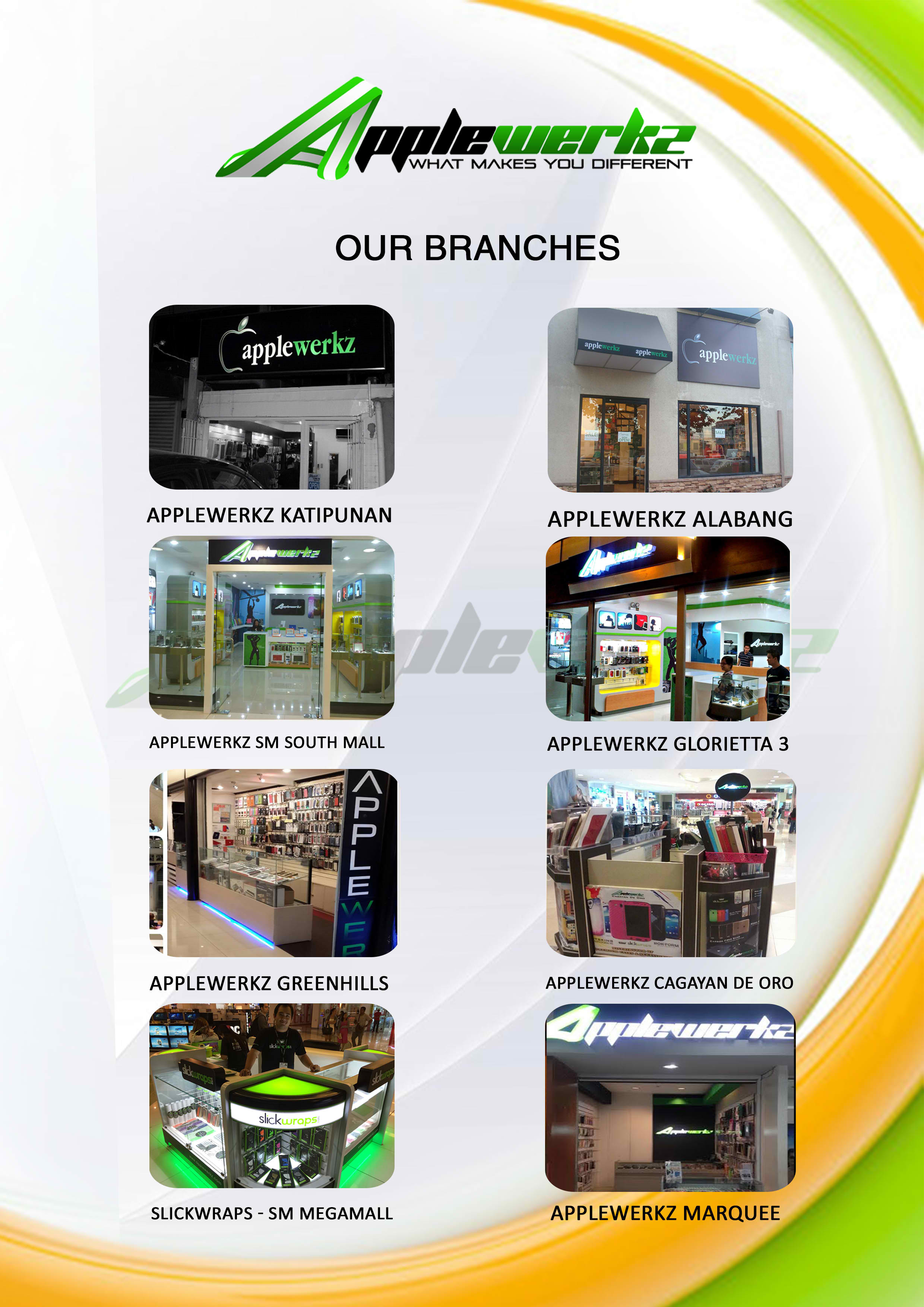
They carry products from top mobile phone accessory brands such as Slickwraps, Spigen-SGP, Zenus, Dracodesign, ElementCase and etc. I was surprised that they have a lot of branch in the country as shown below:

Applewerkz branches

Products Received

I received three products from them namely the Spigen Neo-hybrid protective case, the A&C Nanoshield screen protector and a full body wrap from Slickwraps.

DSC02866

Prior to getting these, I would say I’m not the type of person that buys accessories for my mobile phone as I mostly use it as it is. I find buying phone accessories not necessary as it just complicates your phone and make it more bulky. While I was opening the package I realized that the tradeoff in most cases is worth it and I became more excited with the products.

The first one that I opened is the Spigen Neo-Hybrid case since it’s the most noticeable among the three.

Spigen Neo-Hybrid Case

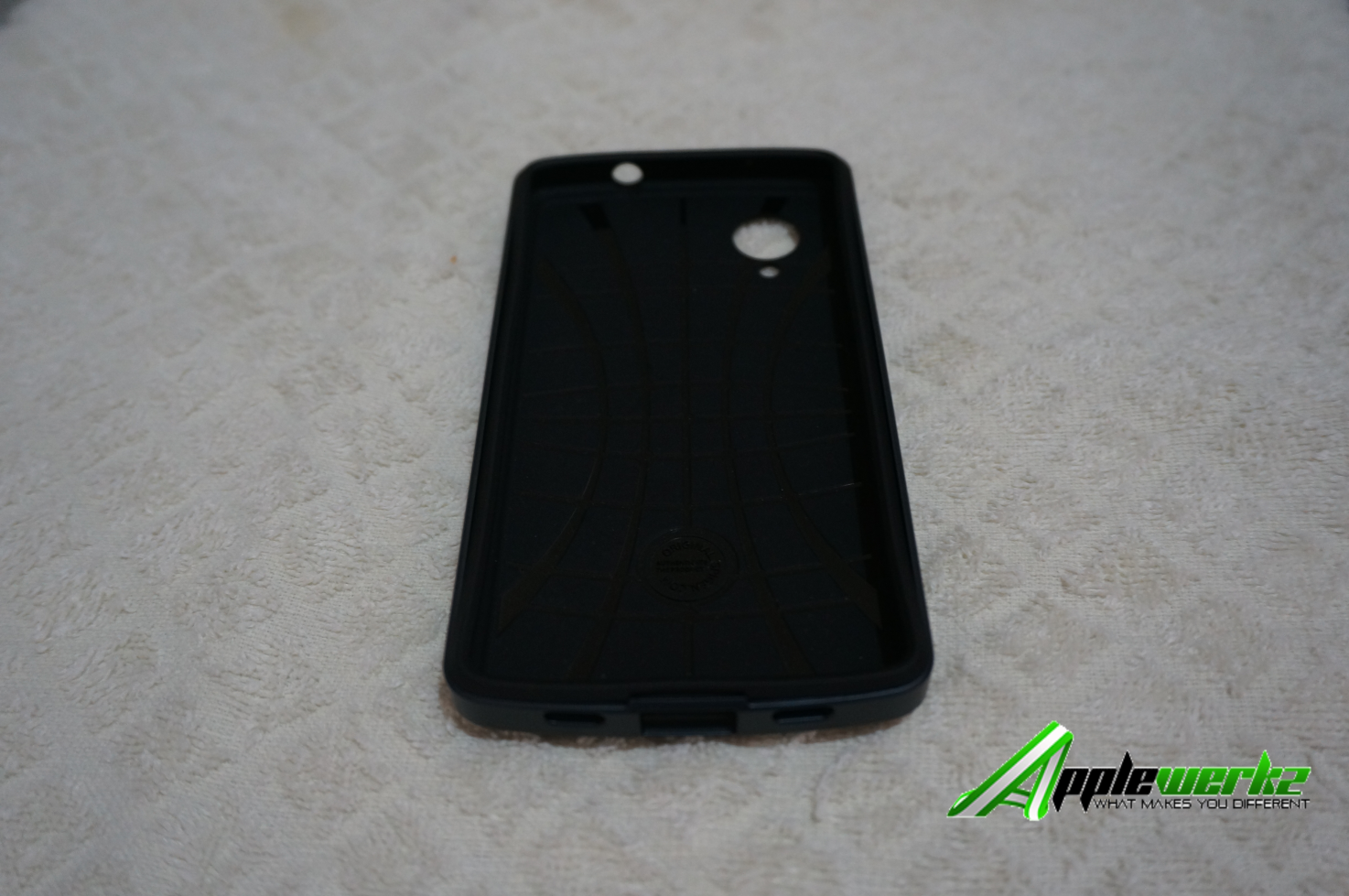
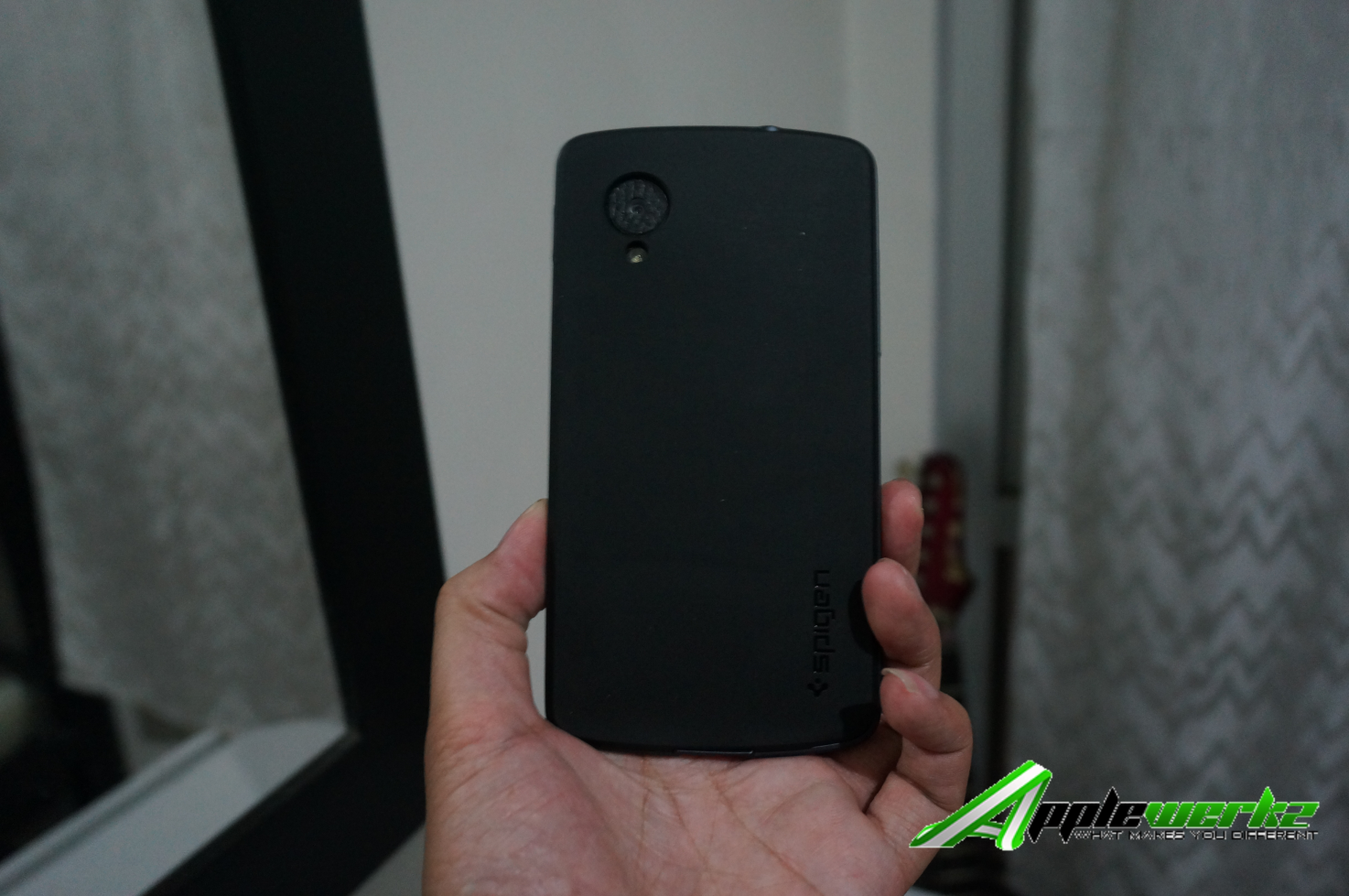
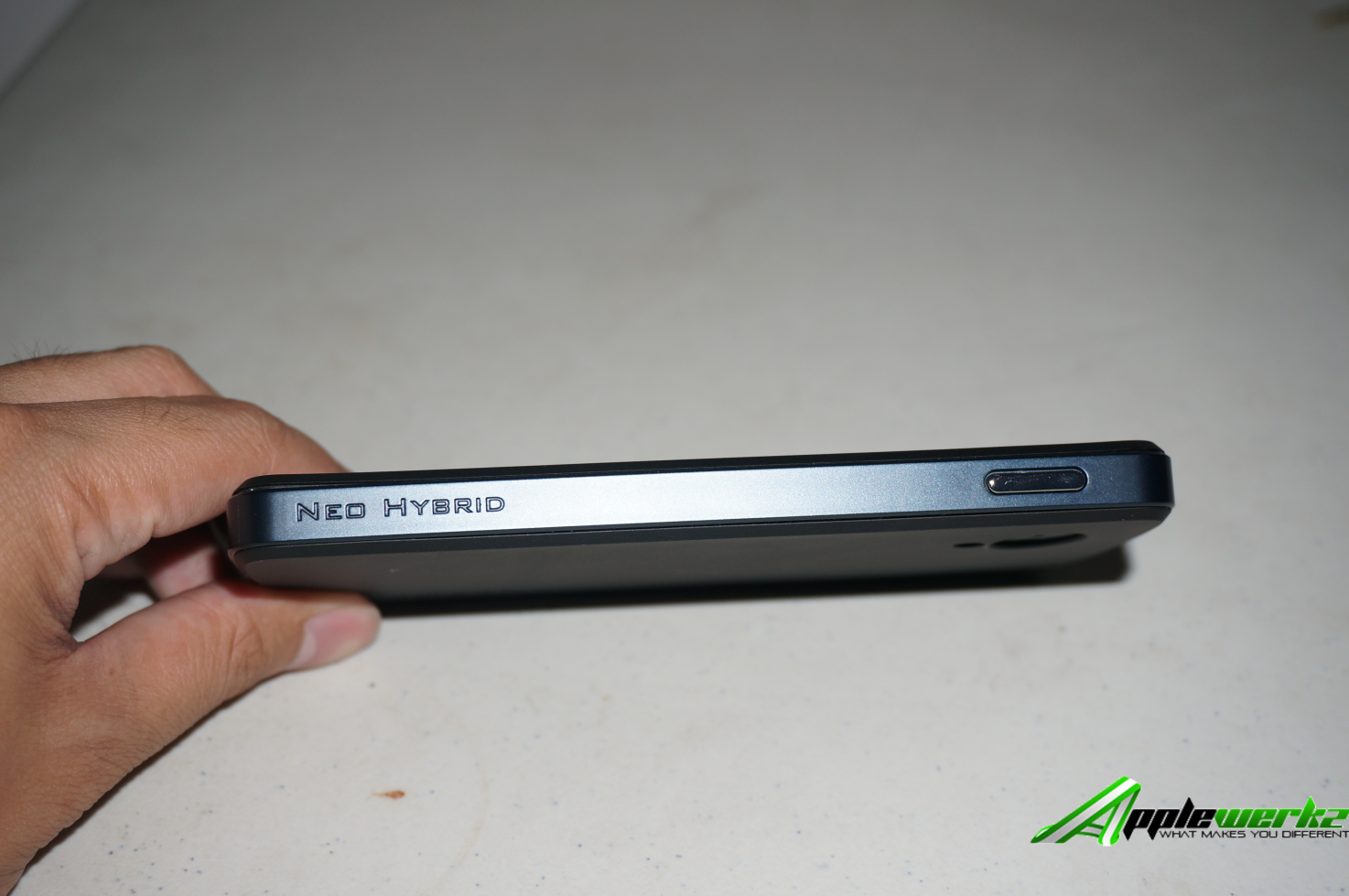
I heard about Spigen a couple of times before and knew they were making protective cases. When I put in the neo-hybrid case, I was initially astounded with how big my Nexus 5 became considering it’s a thin phone.  After getting used to it, I started liking how my phone is more secure than ever with this premium case.

DSC02867

DSC02940 DSC02953

The premium case from Spigen has an enhanced shock-absorption which means it will protect your phone more in case you drop it or it hits something hard.

What’s tricky with the Spigen case is that once you put your phone in, you will have a very hard time removing it and reading some articles online, it seems to be the general consensus among the public. I’m not sure if the case is meant to be removed occasionally but keep in mind that doing so is not an easy task.

A&C Nanoshield Screen Protector

Next is the Nanoshield screen protector from A&C. Now this protector isn’t your typical screen protector as it’s actually a liquid screen protector.

Basically, they have this “nano-shield” solution that you will rub into your phone’s screen & then once it dries up, you already have the invisible screen protector applied.

What does this do? According to the packaging, it makes the screen scratch resistant, it reduces finger marks and smudges and it improves clarity and brilliance. Quite frankly, most modern phone these days are scratch-resistant already so using this one is perhaps not needed.

I also didn’t feel it reduces my finger marks but I felt that it improved the clarity of my screen slightly. Overall, I didn’t feel this nanosolution is really needed however for those who own phones that are a bit old, then this solution might help you out.

Slickwraps

Finally, we have the popular Slickwraps. It’s a custom skin that is multipurpose. One purpose is to provide a pleasing aesthetic look to your mobile phone and the other one is to protect your phone from dust and other substances.

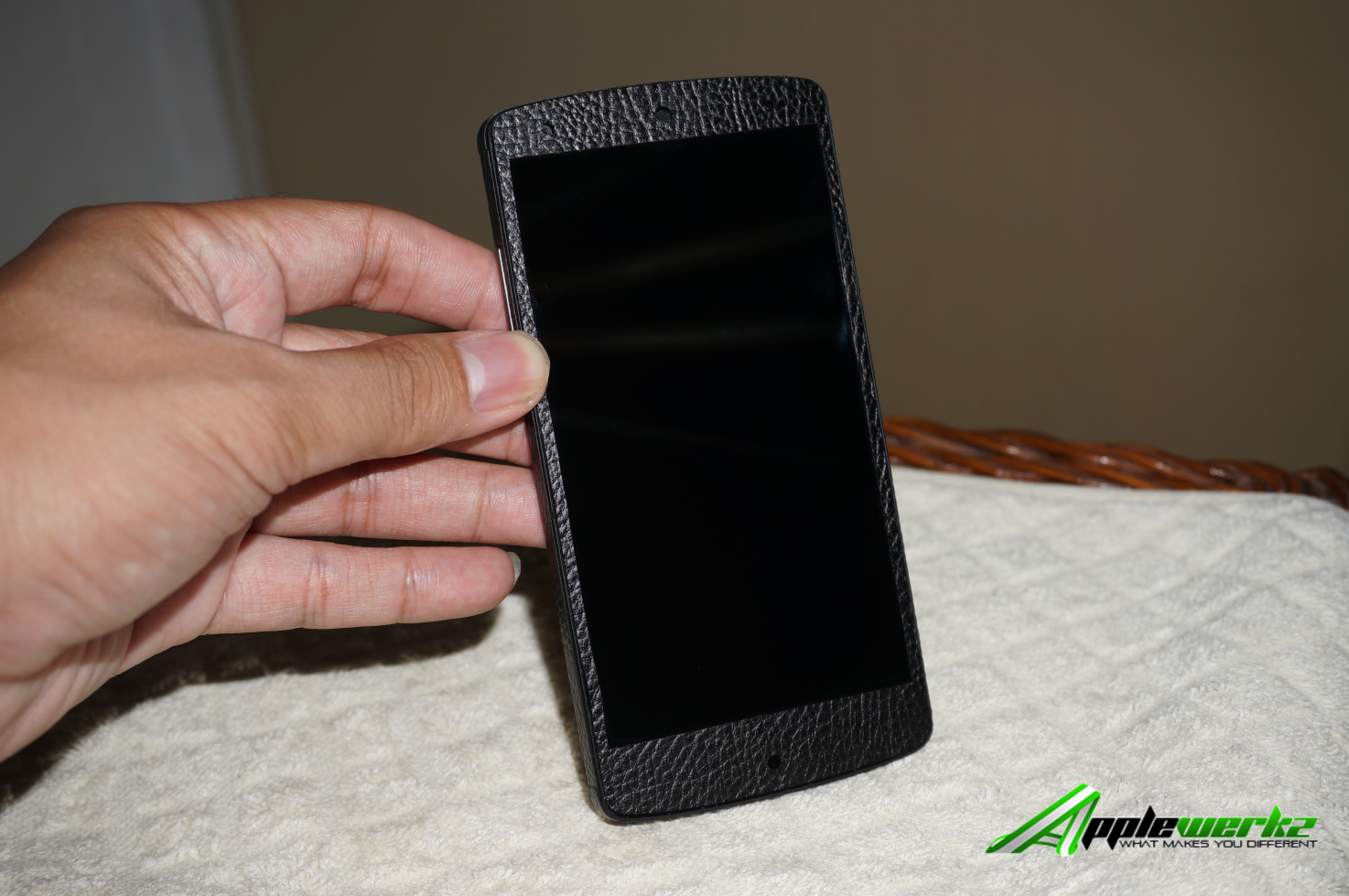
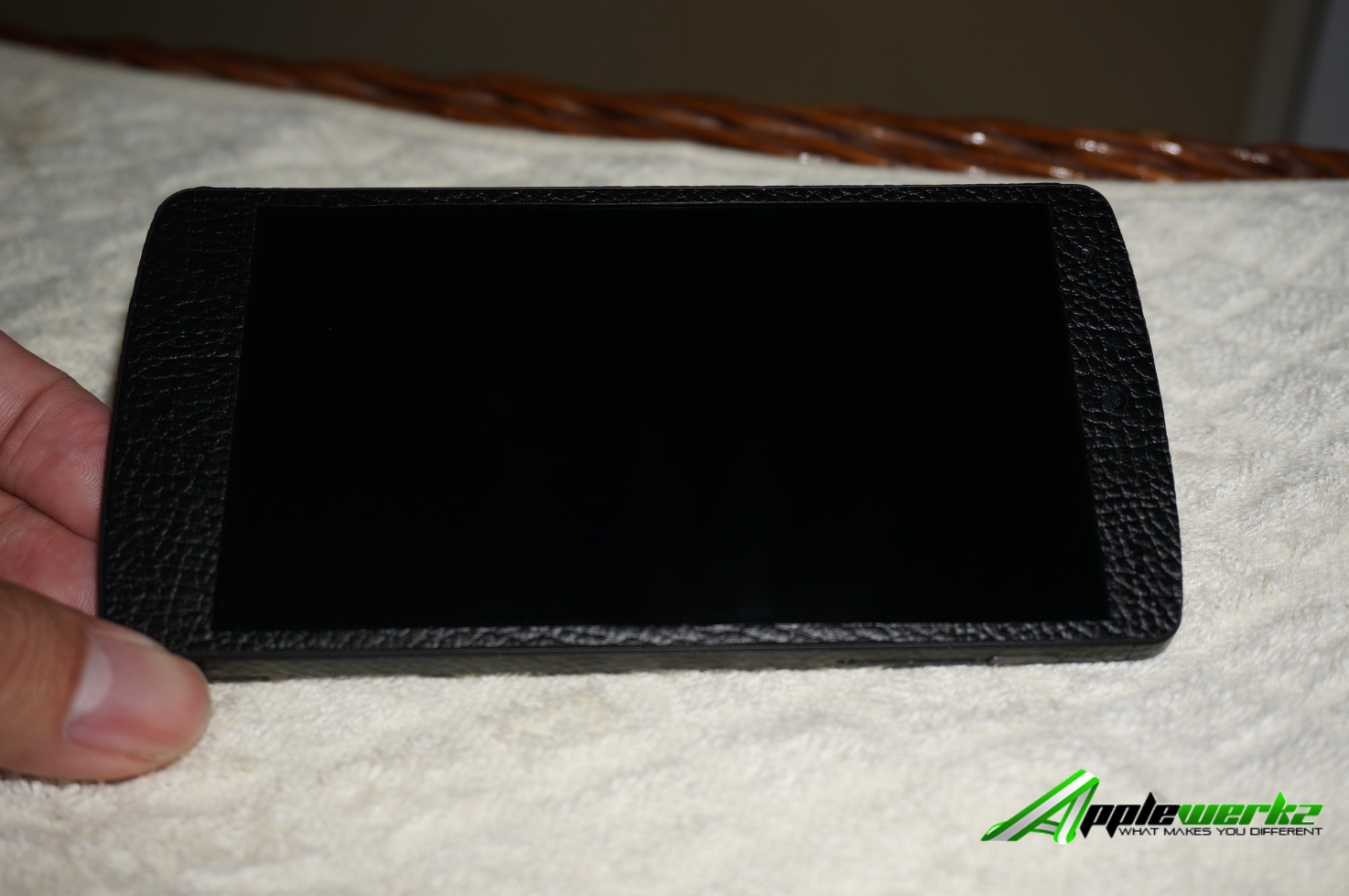
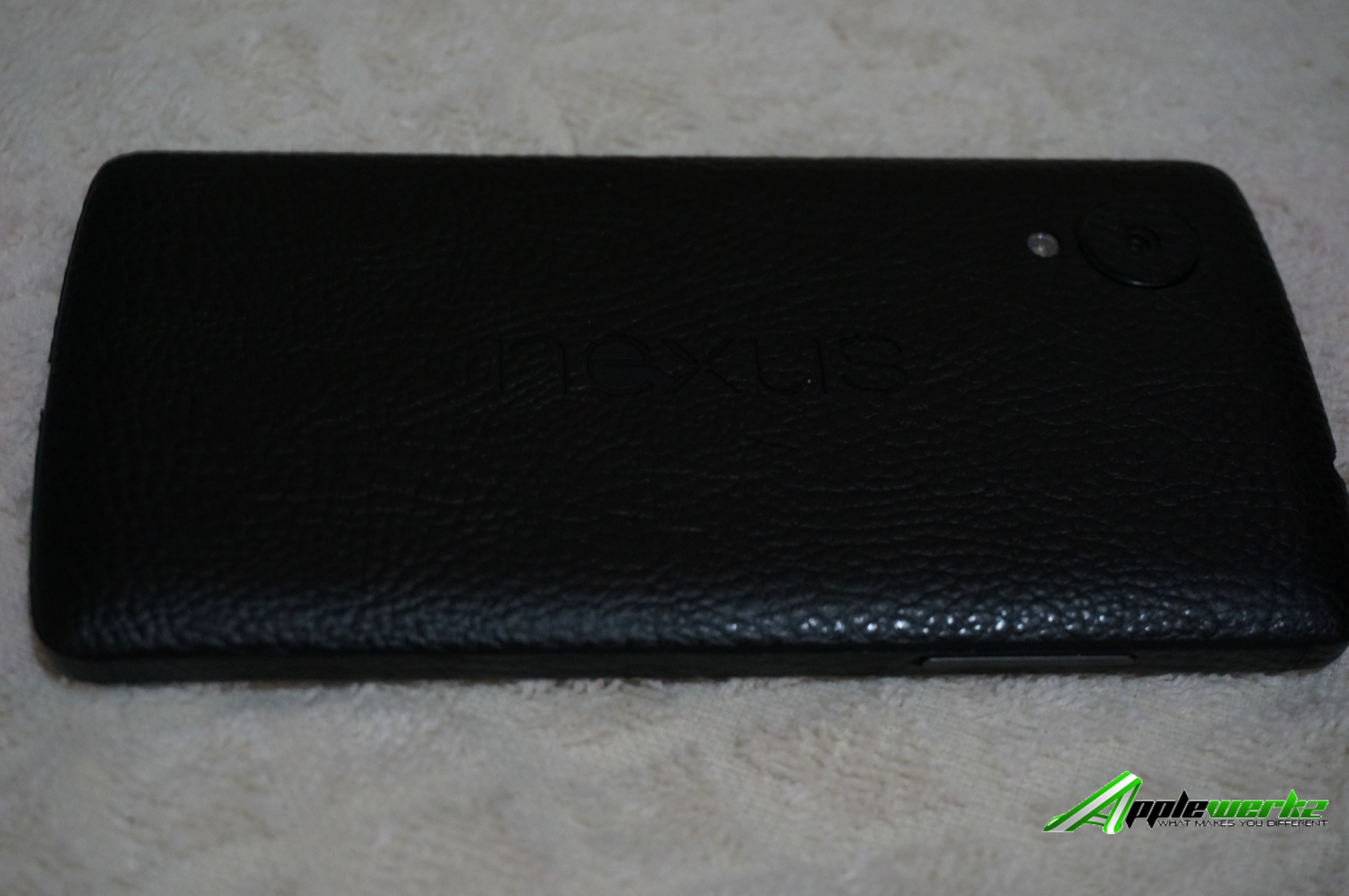
I wasn’t really excited seeing it as it looked nothing but a sticker to me (which it is) and in fact I thought of not putting it at all.  However a colleague convinced me to put it and upon fully putting it, I started liking how it complemented by Nexus 5 phone

DSC02901 DSC02899 DSC02883

The one sent to me has this “leather-like” look and my colleagues were easily impressed with how great it matched. I guess Slickwraps really makes your phone look slick after all.

After putting it, I then became interested on its design variants and I started looking on it through its own website. To be honest, I liked how a lot of them look and I might purchase some more in the distant future.

Overall, I was quite happy with receiving these three items from Applewerkz. While the neo-hybrid case and Slickwrap seem redundant since the former essentially makes the latter unseen, I would say they’re both good for their intended purpose. It’s also quite amazing that Applewerkz is selling these popular brands which means instead of finding a local dealer or settling for a substandard alternative, you can just go to your nearest Applewerkz store and get it from there.

Make sure to visit the nearest Applewerkz store and see what they’ve got for you.

Filed Under: Ramblings Tagged With: Applewerkz, nano screen protector, slickwraps, spigen neo-hybrid case

  • « Go to Previous Page
  • Page 1
  • Interim pages omitted …
  • Page 3
  • Page 4
  • Page 5
  • Page 6
  • Page 7
  • Interim pages omitted …
  • Page 56
  • Go to Next Page »

Copyright © 2026 · No Sidebar Pro on Genesis Framework · WordPress · Log in