
I was bloghopping for the past 30 minutes with some blogs within my niche and noticed something in common.
So today I’m going to make a really quick article about protecting your wordpress folders and directory. A lot of bloggers I’ve noticed, have their blog’s folders browsable which is NEVER a good idea. I’d pick a cool kid name Desmond from DesmondBlog as an example. If you type the url desmondblog.com/wp-content/uploads you could pretty much see everything in the folder:
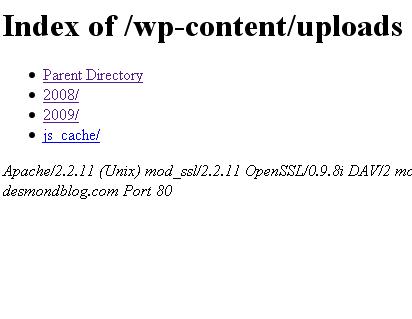
Seeing the whole content of the uploads folder is no bad (who cares about it?). But because his blog’s subfolders are browseable, we could pretty much view his themes @ /wp-content/themes (and get his premium themes),as well as its subdirectories and how about the plugins folder located at wp-content/plugins? Hackers could just go in it very simple and discover that you actually run an out-of-date wordpress plugin and exploit in it.
What should you need do then? Simply go to .htaccess file and put “Options – Indexes” on any line and save. The little code prevents your wordpress folders from being accessed by anyone. The second option if you only want to restrict access to some selected folders is just by creating an index.html file and uploading it to your desired folder. Say you just want your plugins folder to be the one unaccessible, then go to it and upload the html file. That simple! 😀
Like what i’ve said for every 10 blogs that I visit, 7 of them are usually unprotected. You could let them know it by sharing this post (or just simply telling them. 😉